

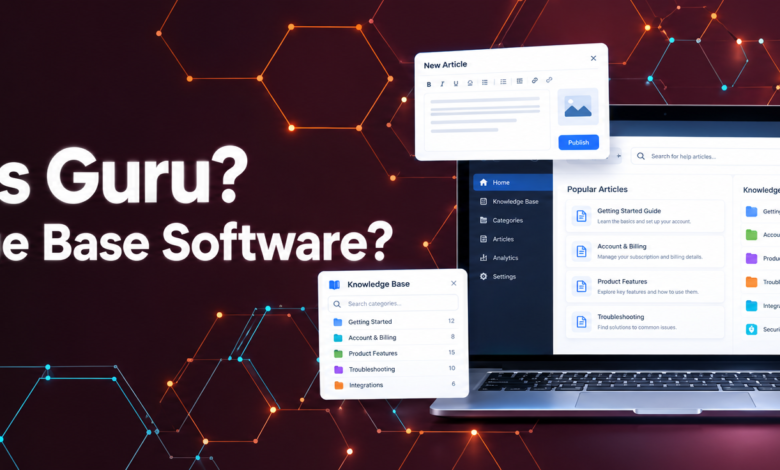
Guru knowledge base software is an AI-powered knowledge management platform that helps businesses organize company information, verify its accuracy, and deliver trusted answers to employees through the tools they already use. Instead of searching through scattered documents, outdated wikis, and lengthy chat conversations, teams can access relevant information from a centralized knowledge system.
What makes Guru different from a traditional company wiki is its focus on verified knowledge. Businesses can organize information into searchable Cards, assign experts to review important content, and use AI-powered search to make information easier to find. This approach helps teams maintain consistent answers across customer support, sales, human resources, and other departments.
In this guide, you will learn what Guru knowledge base software does, how its main features work, its advantages and limitations, pricing considerations, and how to decide whether it is suitable for your organization.
What Is Guru Knowledge Base Software?
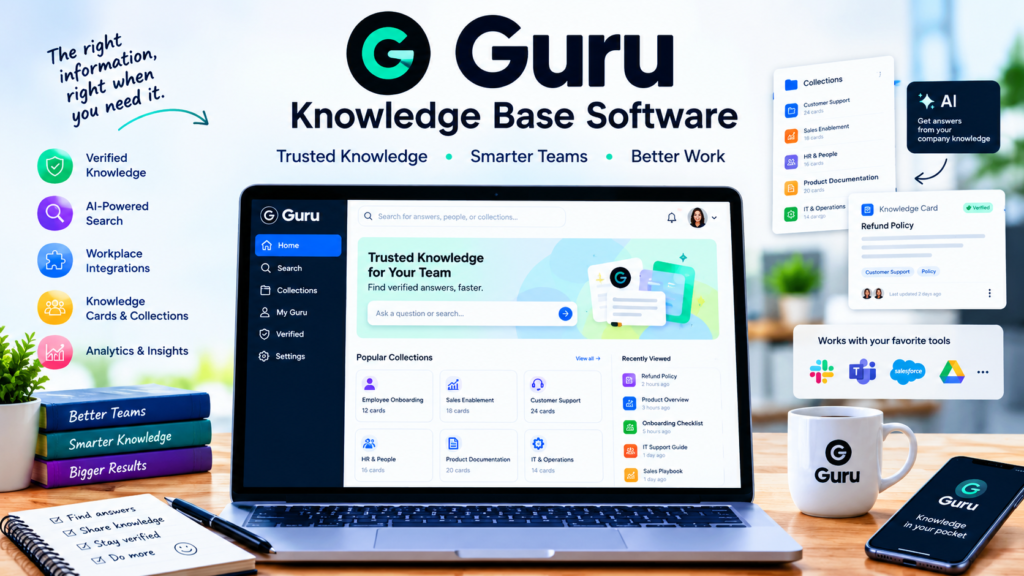
Guru is a workplace knowledge management platform developed to help organizations capture, organize, maintain, and distribute internal information. Its website, GetGuru.com, presents the platform as a governed knowledge layer that connects company knowledge with employees and AI-powered tools.
The platform provides a central place for information such as product details, internal policies, sales guidelines, customer support procedures, onboarding materials, and frequently asked workplace questions. Rather than relying entirely on static documents, Guru uses structured knowledge Cards that employees can search, share, and update.
Guru also emphasizes content verification. Organizations can assign responsibility for reviewing information so that important answers do not remain unexamined after policies, products, or procedures change. Its integrations help employees access knowledge without constantly switching between applications.
For example, a customer support agent handling a refund request could look up the company’s approved refund policy instead of searching old conversations or asking a manager. A sales representative could access current product information while preparing for a customer meeting.
The primary purpose of Guru is to make company knowledge easier to find, easier to maintain, and more dependable for everyday work.
| 🔗 You may also like: |
|---|
| UploadArticle: A Guide to Article Publishing |
| Target Company URL Research |
How Does Guru Software Work?
Guru combines knowledge organization, content governance, search, and delivery into one workflow. Businesses can build a knowledge repository from existing information and make approved content accessible to the employees who need it.
1. Organizing Company Information
Teams create knowledge Cards containing useful information, such as instructions, answers, product specifications, and internal procedures. Related Cards can be grouped into Collections to help users navigate subjects and departmental knowledge.
For example, a software company might create separate Collections for customer support, sales enablement, human resources, and product documentation. Each Collection can contain focused information relevant to that team.
This structure helps employees find actionable answers without reading entire documents to locate a single detail.
2. Verifying Information
Knowledge becomes less reliable when nobody takes responsibility for updating it. Guru addresses this problem through verification workflows that allow designated experts to review content and confirm whether it remains accurate.
A human resources manager, for instance, could review an employee benefits Card whenever company policies change. A product manager could verify feature documentation before a new product release.
These workflows help establish accountability, although businesses still need to assign appropriate owners and ensure that reviews happen on time.
3. Finding Answers Through Search and AI
Guru provides search and AI-assisted knowledge discovery to help employees locate relevant information. Depending on the configuration and connected applications, knowledge can be surfaced through workplace tools rather than requiring employees to open a separate knowledge portal every time they have a question.
Guru’s AI capabilities also focus on delivering answers grounded in company knowledge, with citations and access permissions helping users understand where information came from and which content they are allowed to access.
AI-generated answers should still be checked when a decision depends on a critical policy, contractual requirement, or sensitive operational detail.
4. Delivering Knowledge Within Existing Workflows
Guru integrates with workplace applications so that employees can access relevant information where they communicate and work. Its integration ecosystem includes tools such as Slack, Microsoft Teams, Salesforce, and other business applications, subject to the available integration and plan.
This reduces unnecessary context switching and makes the knowledge base more useful during real tasks.
For instance, a sales representative working in a CRM may need an approved explanation of a product feature. Accessing that information from the existing workflow can be more convenient than searching through separate folders and messaging colleagues.
Key Features of Guru Knowledge Base Software
Guru combines several capabilities to help organizations manage information throughout its lifecycle.
1. Knowledge Cards and Collections
Knowledge Cards are a central part of Guru’s content model. They allow teams to divide information into smaller, focused units instead of storing everything in long, difficult-to-navigate documents.
A Card might explain how to process a refund, qualify a sales lead, troubleshoot a common technical issue, or answer a frequently asked customer question. Collections group related information into a more organized structure.
This approach is particularly useful when employees need short, practical answers during active work. However, teams that mainly manage lengthy reports or highly complex documents may need additional document management tools.
2. Verification Workflows
Guru’s verification system helps organizations maintain the accuracy of their knowledge base. Content owners can review assigned information and confirm whether it remains suitable for use.
Verification is especially important for frequently changing information, including pricing guidance, product features, compliance procedures, and employee policies.
Without clear ownership, a knowledge base can become outdated even when its search functionality works perfectly. Guru’s workflows provide a framework for addressing that problem, but the quality of the result depends on how consistently the organization manages its content.
| 🔗 You may also like: |
|---|
| DigitalRGS: Everything Apple |
| InstaPV |
3. AI-Powered Knowledge Search
Searching company information can be difficult when employees use different terminology or do not know the exact name of a document. Guru’s AI-assisted search and answer capabilities aim to make knowledge discovery more efficient.
For example, an employee might ask how to handle a delayed shipment rather than search for a document titled “Order Fulfillment Exception Procedure.” The system can help connect the question with relevant company knowledge, depending on the available content and configuration.
Citations are valuable because they allow users to inspect the underlying source instead of accepting an AI-generated response without context.
4. Integrations and Browser Access
Guru is designed to connect knowledge with everyday workplace applications. Integrations can help employees access information from collaboration platforms, customer relationship management systems, and other supported tools.
Browser access also helps users retrieve knowledge while working across web-based applications. The exact experience depends on the integration, permissions, and setup available to the organization.
For distributed teams, this approach can make information sharing more practical because employees do not need to change their entire working routine to use the knowledge base.
5. AI Knowledge Agents
Guru’s AI capabilities extend beyond traditional keyword search. Its Knowledge Agent offering is designed to help employees and supported AI experiences retrieve relevant company information and receive answers grounded in organizational knowledge.
This is useful when employees have questions that involve multiple pieces of internal information. Rather than manually opening numerous resources, they can use an AI-assisted workflow to identify relevant answers and supporting sources.
Organizations should still evaluate answer quality, permission handling, and the suitability of the system for their specific workflows before relying on it for important decisions.
6. Collaboration and Knowledge Sharing
Knowledge management works best when employees contribute useful information instead of treating documentation as a one-time administrative task.
Guru supports knowledge sharing through features that help teams work with Cards and maintain information collaboratively. Depending on the workflow, employees can contribute updates, share resources, and direct questions to people with relevant expertise.
This can reduce dependence on individual employees who otherwise become the only source of answers to recurring questions.
7. Analytics and Content Insights
Knowledge base administrators need to understand whether employees are finding and using the information they need. Guru provides analytics capabilities that can help organizations evaluate knowledge engagement and identify opportunities to improve their content.
Usage patterns may reveal which resources employees frequently access and where additional documentation could be useful. Administrators can use these insights to prioritize updates, improve organization, and identify knowledge gaps.
Analytics are most valuable when combined with employee feedback and clear content ownership rather than treated as a simple measure of success.
Benefits of Using Guru Knowledge Base Software
Guru can offer practical benefits to organizations that struggle with scattered information, inconsistent answers, and outdated documentation.
Improved Employee Productivity
Employees often lose time searching through shared drives, messaging platforms, and old documents. A centralized, searchable knowledge system can reduce this friction and make common information easier to retrieve.
For example, a new employee can consult an onboarding Card to learn a standard procedure instead of waiting for a colleague to become available.
More Consistent Customer Support
Support agents need accurate answers about products, returns, billing, and troubleshooting. When agents rely on different documents or informal messages, customers may receive inconsistent information.
Guru helps teams maintain approved answers and make them accessible during customer interactions. This can support more consistent service, although actual improvements depend on content quality, adoption, and the wider support process.
Better Employee Onboarding
New employees must learn company policies, internal tools, communication standards, and role-specific procedures. A well-organized knowledge base gives them a practical reference they can revisit after initial training.
Managers can organize onboarding materials into relevant Collections, while designated owners help keep important instructions current.
Reduced Dependence on Individual Experts
In many organizations, essential knowledge remains in the memory of a few experienced employees. When those employees are unavailable or leave the business, other team members may struggle to complete routine tasks.
Capturing expertise in reusable Cards helps preserve institutional knowledge and makes it accessible to a wider group.
Stronger Foundations for Enterprise AI
AI tools are only as useful as the information they can access and interpret. Outdated, contradictory, or unauthorized content can undermine the quality of AI-assisted answers.
Guru’s emphasis on verification, governance, citations, and permissions can help organizations create a more dependable knowledge foundation for supported AI workflows. It does not guarantee that every AI answer will be correct, so testing and human oversight remain important.
Limitations of Guru Software
Although Guru offers useful knowledge management capabilities, it is not necessarily the best solution for every organization.
Initial Setup Requires Planning
A useful knowledge base requires more than importing documents. Teams need to organize information, remove unnecessary duplication, establish permissions, assign content owners, and decide how frequently important material should be reviewed.
Organizations that skip this planning may struggle to maintain quality after the initial launch.
Search Results May Need Evaluation
Some users have reported difficulty finding the exact information they want through search. Search effectiveness can depend on how content is written, tagged, organized, and maintained.
Before committing to the platform, test realistic questions using your organization’s own documents and terminology. Pay particular attention to searches involving similar policies or overlapping product features.
Content Maintenance Remains Essential
Verification workflows help identify information that requires review, but they cannot replace a well-defined content management process.
If employees ignore review requests or nobody owns critical Cards, outdated information can still remain in the knowledge base. Assigning responsibilities and monitoring review completion are therefore essential.
Customization May Not Suit Every Team
Guru’s structured Cards and Collections are useful for concise, searchable knowledge. However, businesses that need extensive visual customization, highly specialized navigation, or sophisticated long-form document workflows may prefer a different platform or a complementary tool.
Pricing Requires Direct Confirmation
Guru’s current pricing information should be checked directly with the provider. Its pricing approach may depend on organizational scale, knowledge requirements, and the capabilities or services included in a proposal.
Do not assume that older third-party articles describing Starter, Builder, or Expert plans reflect the current offer. Ask for a written quote covering user limits, integrations, AI capabilities, implementation, support, and renewal terms before making a purchasing decision.
Guru Pricing: What Should Businesses Expect?
Guru’s pricing is an important consideration for small businesses and larger enterprises alike. Because pricing structures and included features can change, the most reliable approach is to consult the official pricing page at GetGuru.com and request a current proposal where necessary.
The total cost of adoption may involve more than the subscription itself. Businesses should consider the number of employees who need access, the integrations required, implementation support, the time needed to organize existing knowledge, and the ongoing work involved in verification.
When comparing providers, evaluate the complete cost against the problems the platform is expected to solve. A more expensive platform may be worthwhile if it fits critical workflows, while a simpler tool may be sufficient for a small team with limited documentation needs.
For an accurate comparison, request details about billing, minimum commitments, contract length, available trials, and the renewal process.
| 🔗 You may also like: |
|---|
| SosoActive |
| Magazineluiza.com.br Email Format |
Common Use Cases for Guru
Guru can support different departments when their work depends on reliable, reusable information.
Customer Support Teams
Support teams can organize troubleshooting instructions, approved policy explanations, escalation procedures, and answers to recurring customer questions. Agents can retrieve these resources while handling customer requests.
Sales and Marketing Teams
Sales representatives can use Cards containing product descriptions, positioning guidance, pricing policies, and approved answers to objections. Marketing teams can maintain messaging guidelines, campaign processes, and brand information.
Human Resources and Employee Onboarding
HR teams can document workplace policies, leave procedures, onboarding checklists, and frequently asked employee questions. Access permissions are important when information is confidential or intended for particular employee groups.
IT and Operations Teams
IT departments can maintain troubleshooting procedures, access instructions, and internal support guidance. Operations teams can document standard operating procedures and clarify responsibilities across departments.
Across these use cases, the greatest benefit comes from maintaining information that employees actually need, rather than filling the platform with documents that nobody uses.
How to Get Started With Guru
A structured rollout can make Guru more useful and reduce avoidable implementation problems.
Step 1: Identify the main knowledge problem. Decide whether your biggest challenge is repetitive support questions, inconsistent sales information, slow onboarding, or difficulty finding internal documents.
Step 2: Audit existing content. Review current documents, wikis, shared drives, and relevant workplace conversations. Identify reliable resources, outdated material, duplicates, and missing information.
Step 3: Create a practical content structure. Organize information into focused Cards and relevant Collections. Use clear titles and consistent terminology so employees can find information using the words they naturally use.
Step 4: Assign content owners. Give appropriate subject matter experts responsibility for reviewing critical information. Establish review schedules based on how frequently each type of content changes.
Step 5: Configure integrations and permissions. Connect the workplace tools your team actually uses and confirm that sensitive information is available only to authorized people.
Step 6: Test with a small group. Ask employees to complete real tasks using the knowledge base. Record unsuccessful searches, unclear answers, outdated Cards, and access problems.
Step 7: Improve and expand. Use employee feedback and available usage insights to improve the content structure before rolling out the platform across the organization.
This approach helps businesses build a useful knowledge system instead of simply creating another place where information can become outdated.
Guru vs. Traditional Knowledge Base Software
Traditional knowledge bases commonly organize information into articles, pages, folders, or hierarchical documentation structures. Guru emphasizes structured Cards, verification workflows, and the delivery of knowledge within workplace applications.
| Area | Guru | Traditional knowledge base |
|---|---|---|
| Content structure | Focuses on concise Cards and Collections | Often uses articles, pages, and folders |
| Content accuracy | Provides verification workflows | Depends on the platform’s review features and internal processes |
| AI assistance | Offers AI-supported knowledge discovery and answers | Varies by provider and plan |
| Workplace access | Integrates with supported business tools | Depends on available integrations |
| Best use | Verified knowledge delivered into everyday workflows | General documentation, help centers, or reference libraries |
This comparison is general rather than universal. Some competing knowledge management platforms also offer AI search, content verification, and extensive integrations.
Guru is worth considering when the organization values verified answers and access within existing workflows. A traditional documentation platform may be more suitable when the priority is public-facing help content, complex long-form documentation, or extensive control over the presentation of a knowledge portal.
Guru vs. Bloomfire and Other Alternatives
Guru is not the only option for managing organizational knowledge. Alternatives such as Bloomfire and Glean approach knowledge discovery and enterprise information in different ways.
Bloomfire is worth evaluating for organizations that prioritize searchable multimedia content and structured knowledge sharing. Glean is often considered by businesses looking for enterprise-wide search and AI assistance across multiple internal applications.
The right choice depends on your requirements rather than a single feature comparison. Consider how each platform handles content sources, permissions, search accuracy, knowledge governance, integrations, reporting, and implementation support.
A practical evaluation should include a small set of real company documents and representative questions from employees. Compare the usefulness of the answers, the effort needed to maintain content, and the ease with which users can locate supporting sources.
Also assess migration requirements and whether your team can manage the platform without creating a large ongoing administrative burden.
Is Guru Knowledge Base Software Right for Your Business?
Guru may be a strong fit for organizations that have useful information scattered across documents and workplace conversations, particularly when employees need fast access to approved answers.
It is especially relevant to customer support, sales, HR, and operations teams that repeatedly handle similar questions and need a reliable way to maintain internal knowledge. Its verification-oriented approach can also help businesses prepare their information for supported AI-assisted workflows.
However, companies should assess the quality of search results, the flexibility of the content structure, the cost of implementation, and the effort required to keep information current. Organizations focused mainly on public documentation, extensive multimedia libraries, or complex document collaboration may need to compare other platforms carefully.
The best decision comes from testing Guru against real workflows rather than choosing it solely because it offers AI features. If employees can find the correct answer quickly, verify its source, and trust that the information is maintained, the platform is more likely to deliver practical value.
Conclusion
Guru knowledge base software helps organizations turn scattered information into structured, searchable, and maintainable company knowledge. Its Cards, verification workflows, AI-assisted search, and workplace integrations are designed to make trusted information easier to access during everyday work.
The platform can be particularly valuable for teams that need consistent answers across support, sales, onboarding, and internal operations. However, effective results depend on good content organization, clear ownership, realistic testing, and ongoing maintenance.
Before choosing Guru, review its current pricing, test its search capabilities with real company information, and compare it with alternatives that match your documentation needs. A knowledge management platform is most effective when employees can find the right information, understand its source, and trust that it remains current.
FAQs
What is Guru knowledge base software used for?
Guru is used to organize company knowledge, maintain verified information, and help employees find answers through search, AI-assisted features, and supported workplace integrations. Common applications include customer support, sales enablement, onboarding, and internal operations.
Is Guru an AI-powered knowledge management platform?
Yes. Guru combines knowledge management with AI-assisted search and answer delivery. Its governance and verification capabilities are designed to help users access relevant company information with supporting sources and appropriate permissions.
Does Guru integrate with Slack and Microsoft Teams?
Guru supports integrations with workplace tools, including Slack and Microsoft Teams. The availability and functionality of particular integrations should be confirmed against the current product documentation and subscription terms.
How much does Guru cost?
Guru’s current pricing should be confirmed through its official website or sales team. Pricing can depend on organizational requirements, and older online descriptions of fixed subscription tiers may no longer reflect the current offering.
What are the main advantages of Guru?
Its main advantages include structured knowledge Cards, verification workflows, AI-assisted knowledge discovery, supported workplace integrations, and tools for maintaining information accuracy. These capabilities can help reduce duplicated effort and improve access to internal knowledge.
What are the main disadvantages of Guru?
Potential drawbacks include the work required to organize and maintain content, possible search frustrations, limits in customization for some workflows, and pricing that may require a direct quote. Its suitability depends on the organization’s content structure and needs.
Is Guru suitable for small businesses?
It can be suitable for small businesses that frequently share internal information and need consistent answers. However, smaller teams should compare the current price, setup effort, and available features with simpler knowledge management alternatives before committing.
How is Guru different from a company wiki?
A traditional wiki primarily provides a place to create and organize documentation. Guru adds a stronger focus on content verification, AI-assisted knowledge discovery, and delivering information within supported workplace applications. The exact difference depends on which wiki or knowledge management product is being compared.